Dark theme for the admin
A dark theme for the Poste.io administration pages (/admin), automatic and
with a switch.
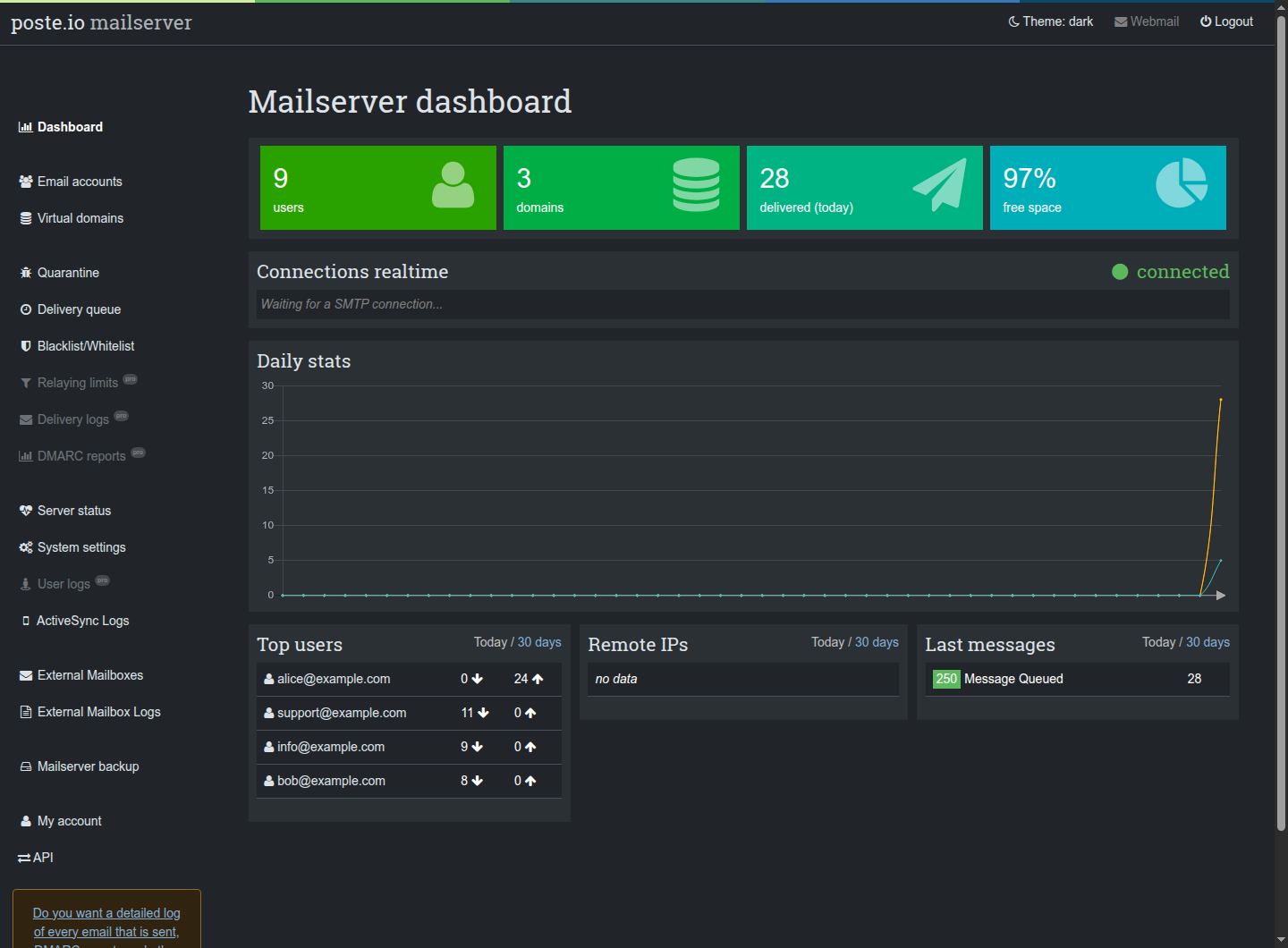
Behaviour
- Automatic: follows the operating system / browser setting
(
prefers-color-scheme), also when it changes while the page is open. - Switch: the top bar gets a Theme item next to Webmail and Logout;
each click goes automatic → dark → light → automatic. The choice is kept
in the browser (
localStorage, keyposte-admin-theme); automatic removes it. - No white flash: the theme is decided by a small script in
<head>, before the page is painted. - Login page: dark too when the system is dark (no switch there: the login page replaces the top bar).
- Charts (dashboard, server status): Chart.js draws with its own colours, so text, grid and the doughnut borders are adjusted, and the charts already on the page are redrawn when the theme changes.
- Light theme untouched: every rule is scoped to
[data-bs-theme=dark]. This was checked by comparing the computed colours of a page with and without the stylesheet in light mode: no difference.
The webmail (Roundcube, Elastic skin) already has its own dark mode and is not touched.
How it works
The Poste.io admin is built on Bootstrap 5.3, whose dark colour mode only
needs data-bs-theme="dark" on <html>: backgrounds, text, borders, tables,
inputs and alerts follow. What remains are the colours Poste.io hard-codes for
the light look, fixed in dark-theme/admin/public/dark-theme.css:
- the top bar and the left menu, the "pretty" button gradients, pagination;
- Chosen drop-down menus, help boxes, the dashboard section boxes and spinner;
- black text written inline in a few templates (
style="color: black").
Files:
| File | Role |
|---|---|
dark-theme/admin/templates/Base/DarkTheme/_head.html.twig |
stylesheet + theme script, included before </head> |
dark-theme/admin/templates/Base/DarkTheme/_toggle.html.twig |
the Theme item in the top bar |
dark-theme/admin/public/dark-theme.css |
the dark-only corrections |
dark-theme/dark-theme.{en,cs}.yml |
translations of the switch |
dark-theme/dark-theme-install.sh |
adds the two includes to Poste.io's base.html.twig and the translations |
dark-theme-install.sh is the only part that touches a Poste.io file, with two
include lines. It refuses to run if it does not find its hook points exactly
once, so a Poste.io update that moves them breaks the build instead of
silently losing the theme.
Found a page that stays light?
Poste.io sometimes writes colours directly in a template. Open an issue with a
screenshot and the page URL; the fix is usually one rule in dark-theme.css.