poste.io-addons



Add-ons for the Poste.io mail server, built as a Docker image on top of the official one:
- External Mailboxes — fetch mail from POP3/IMAP accounts hosted elsewhere and deliver it into Poste.io on a schedule, managed from the admin.
- Dark theme for the admin — automatic (follows the system) with a switch in the top bar.
- Calendars and contacts over ActiveSync — the phone's Exchange account gets the calendars and contacts of Poste.io's DAV server, not only the mail.
- ActiveSync logs in the admin — read the Z-Push logs with filters, and rotate them (Poste.io never does).
- Backup and restore — encrypted, scheduled backups of the configuration and the mail to SMB, SFTP, S3 or a mounted volume, set up and watched from the admin.
- Up to 2.5.19, three upstream fixes that make "move to Junk" actually
teach rspamd, without leaving a copy of each message in
/tmp— adopted by Poste.io in 2.5.20, so the add-on retired with release 1.2.0.
Take all of them or only the ones you want: each add-on is one section of the Dockerfile (choosing the add-ons).
English and Czech, like the Poste.io admin. Dockerfiles for the Pro and the open source edition: in production on Poste.io 2.5.24 PRO; the open source image is built and tested end to end on every push, with all the add-ons and with each one alone (tests).
Not affiliated with or endorsed by Poste.io / Analogic. "Poste.io" is a trademark of its owners; this project only contains add-ons and no Poste.io code.
Features
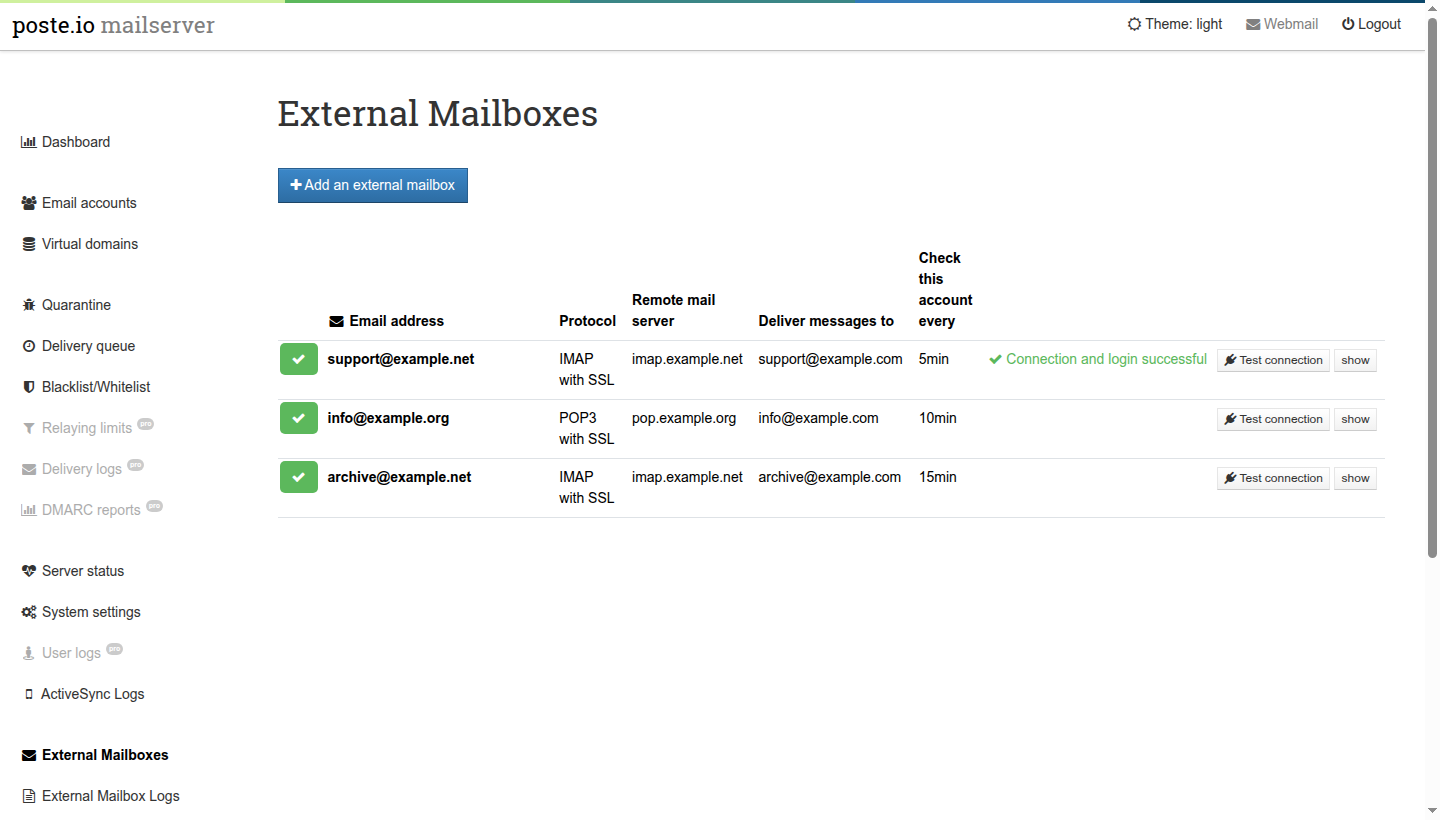
External Mailboxes
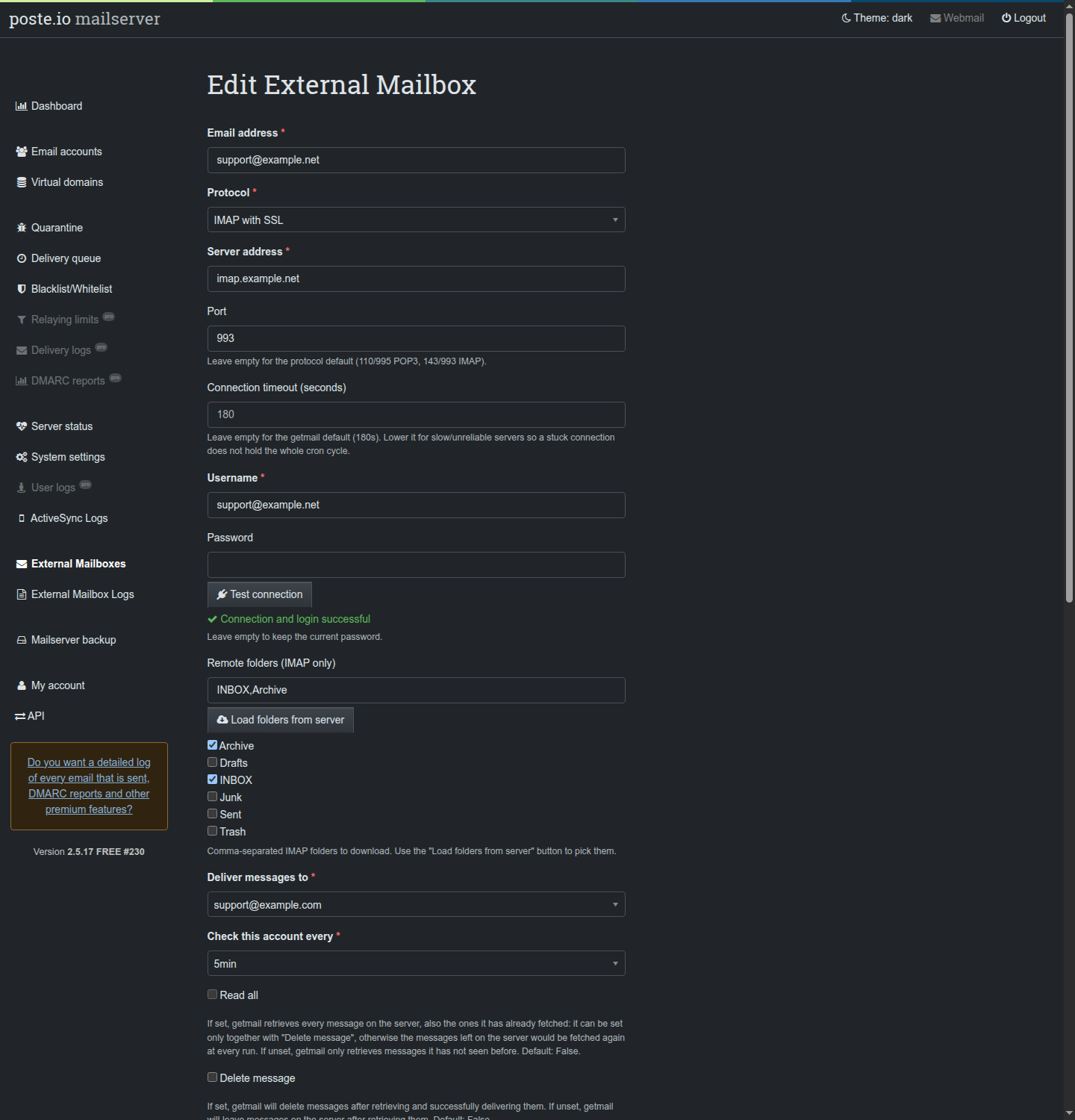
- POP3, POP3 over SSL, IMAP and IMAP over SSL, via getmail6, every 5–60 minutes.
- Delivery to any local mailbox or redirect: deliver an external
support@box to a redirect and everyone in it gets the mail. - IMAP folder picker (Load folders from server) and optional cleanup of the remote Trash/Spam folders with a retention period.
- Test connection from the form and from every row of the list.
- getmail options in the form: read all/new, delete, delete after N days, limits per run, delete messages over a size, port, timeout. "Read all" only together with "Delete message" (otherwise everything left on the server would be fetched again at every run).
- Spam check: every fetched message goes through rspamd before delivery, like mail received over SMTP (headers, spam into Junk, Bayes); without it fetched mail is not scanned by Poste.io at all.
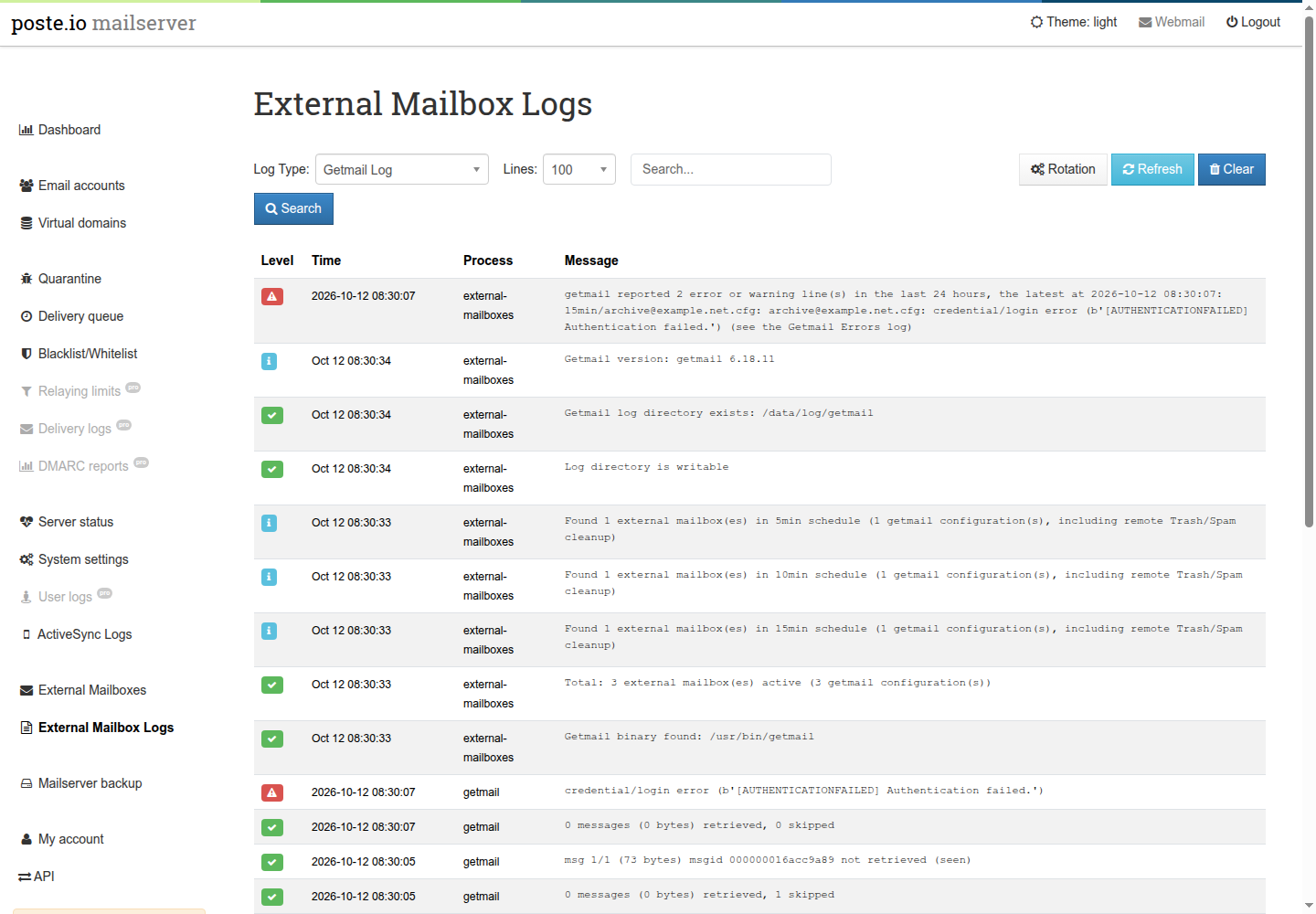
- Logs page with the getmail log, the getmail errors (with a red line on top of the getmail view when there are recent ones), the cron log and a status view; log rotation set from the same page.
- Hardened: getmail runs as
mail, never root; configuration files0600; TLS certificates verified; passwords never sent back to the browser; explicit CSRF tokens; strict validation of every value written to getmail.
Dark theme
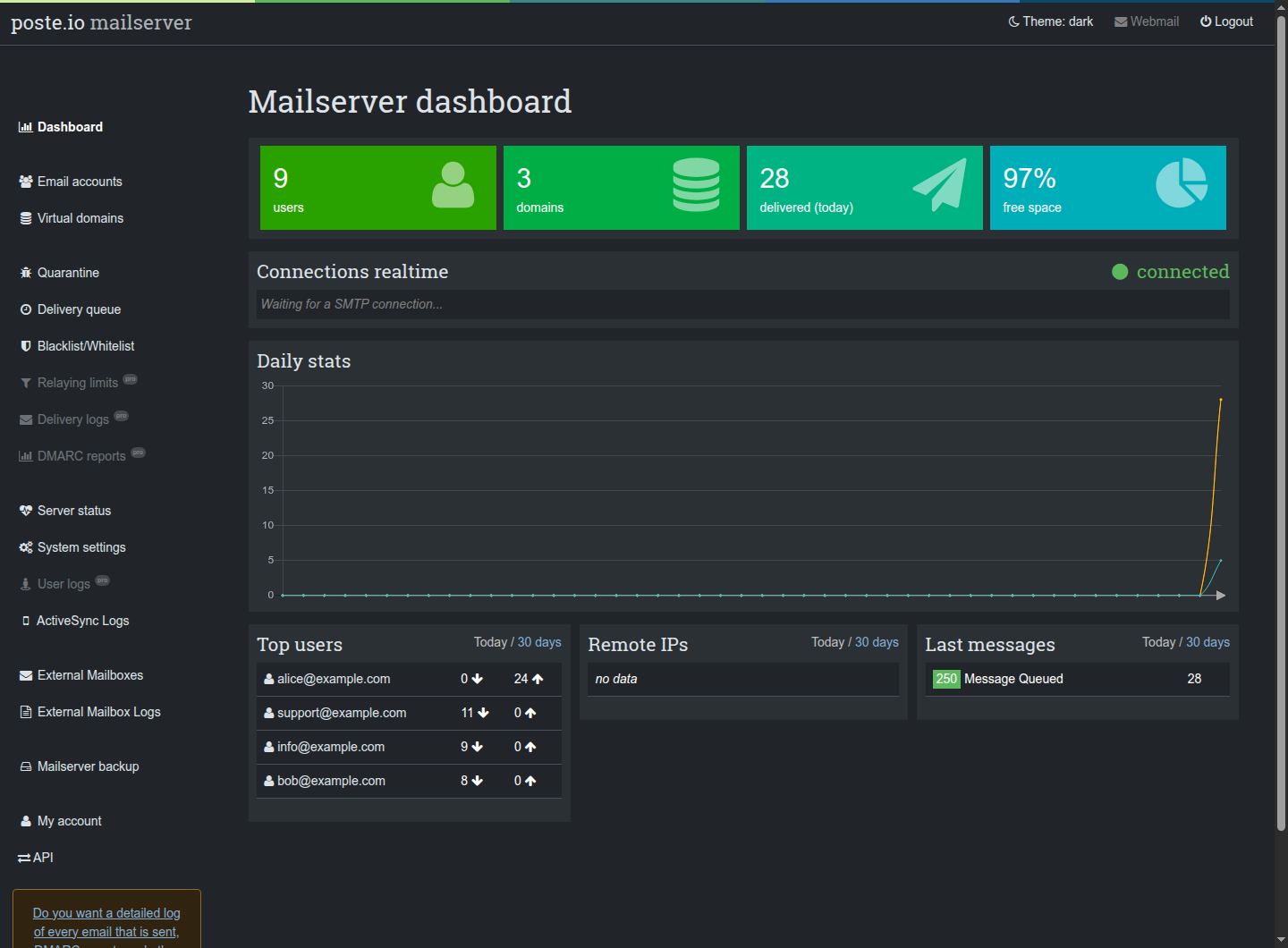
- Follows the system setting, or force light/dark from the top bar (remembered by the browser).
- No white flash on load; the login page follows the system too.
- Charts are recoloured and redrawn when the theme changes.
- The light theme is untouched: every rule applies to the dark theme only.
Calendars and contacts over ActiveSync
- One Exchange/ActiveSync account on the phone: mail, calendars, tasks and contacts, both ways, from Poste.io's built-in CalDAV/CardDAV server.
- Enabled per mailbox in the admin, as before (Create calendar, Create address book); a mailbox without them keeps mail only.
- A colleague's calendar shared read-only appears as an additional calendar: see whether someone is busy before booking them.
- If the DAV server is switched off or broken, mail keeps working.
- Fixes three Z-Push issues found while testing (an event refused by the server confirmed as saved, a crash on contacts without an address book, ActiveSync down with the DAV server).
→ Calendars and contacts over ActiveSync (existing installations: devices must resync once)
ActiveSync logs
- A page right after User logs with the Z-Push log and its errors log: filter by level, account and text, newest lines first.
- Log rotation set from the same page (Poste.io never rotates these logs): every day, week or month, old copies kept compressed.
- Read-only on purpose: the logs stay Z-Push's (
www-data), as Poste.io wants them.
Backup and restore
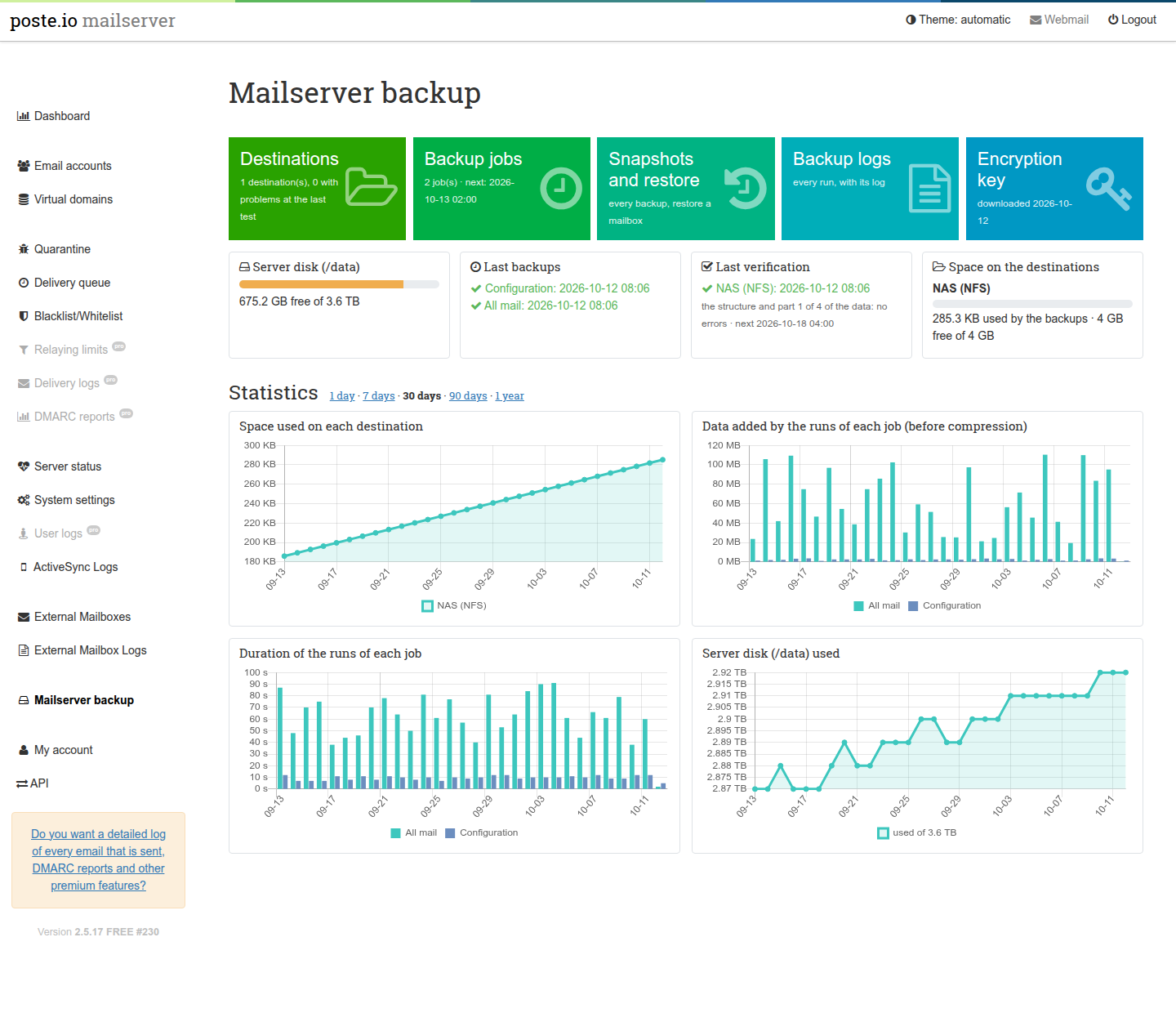
- The configuration (accounts, domains, settings, certificates, DKIM keys, calendars and address books, webmail settings, spam filter training) and all the mail or chosen mailboxes, every hour, day, week or month.
- To one or more destinations at once: SMB/Samba, SFTP, S3, a volume mounted by the host (NFS, a second disk), or restic's REST server in append-only mode, where a compromised mail server cannot delete the backups; a Test of each destination before saving it (reachable, empty folder, free space, a write).
- Made with restic: encrypted before leaving the server, deduplicated and compressed, so frequent backups store only what changed; keep rules per job (hourly, daily, weekly, monthly).
- Live progress, the log of every run, the space on each destination (yellow and red from limits you set), statistics over 30 days to a year, and a scheduled verification of each destination that reads the stored data again, a part at a time.
- Restore a mailbox from the admin into a new folder of the same or another mailbox: whole, some folders, the messages of a filter (dates, sender, subject), or single messages found in a searchable list; nothing already there is changed; remove the backups of a job; the backups read from another machine with only the key file; a whole server rebuilt on a new installation, each procedure run by the tests as documented.
- Hardened: the engine runs as
mail, never root; settings validated again before use; SFTP only to a server whose SSH key was confirmed; passwords never sent back to the browser.
Upstream fixes
Up to 2.5.19 moving a message to Junk did not train rspamd: the learning
scripts were world-writable (Dovecot refuses to run them), they learned into a
Bayes bucket that scanning never reads, and they left a copy of every message
in /tmp. Poste.io 2.5.20 ships all three fixes, so the add-on is gone;
on an older base build from release 1.2.0. The end-to-end tests still verify
the learning behaviour on every build.
Quick start
git clone https://github.com/atsanna/poste.io-addons.git
cd poste.io-addons

# Pro (requires docker login to the Poste.io registry)
docker build -f Dockerfile-pro --build-arg POSTE_IO_VERSION=2.5.24 -t my/poste.io:2.5.24 .
# or open source
docker build -f Dockerfile     --build-arg POSTE_IO_VERSION=2.5.24 -t my/poste.io:2.5.24 .

# only some add-ons, e.g. the dark theme and calendars/contacts
sh select-addons.sh Dockerfile-pro dark-theme activesync-dav > Dockerfile.custom
docker build -f Dockerfile.custom --build-arg POSTE_IO_VERSION=2.5.24 -t my/poste.io:2.5.24 .
Run the image as you run the official one (see
docker-compose.example.yml). On an existing
installation, read Installation
first: the /data volume hides the folders the image prepares, and phones
using ActiveSync must resync once.
License
MIT © 2026 Antonio Sanna. The license covers the files of this repository only; Poste.io itself is licensed by its owners.